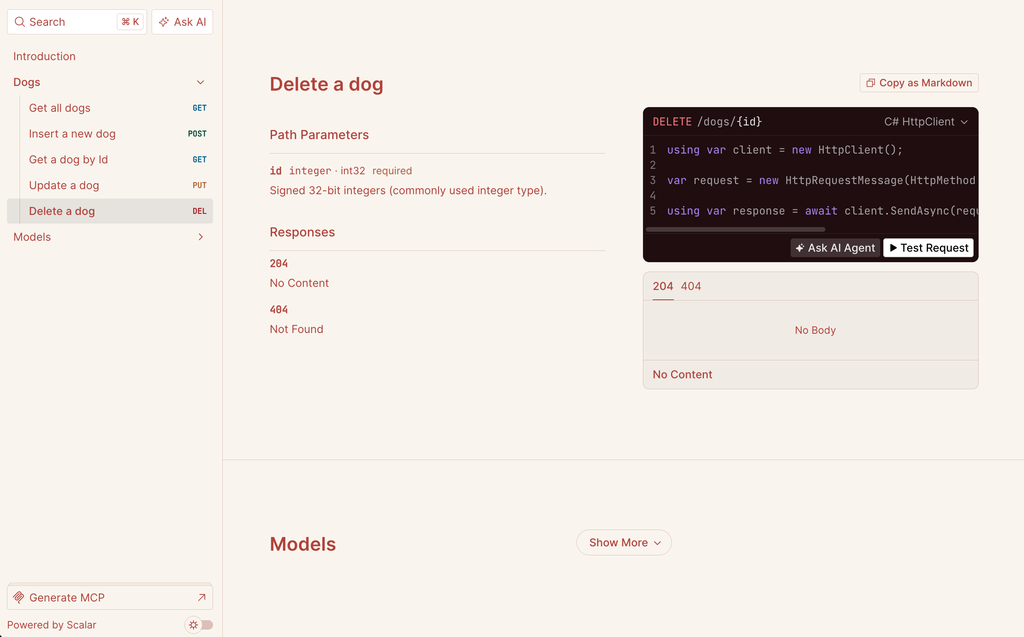
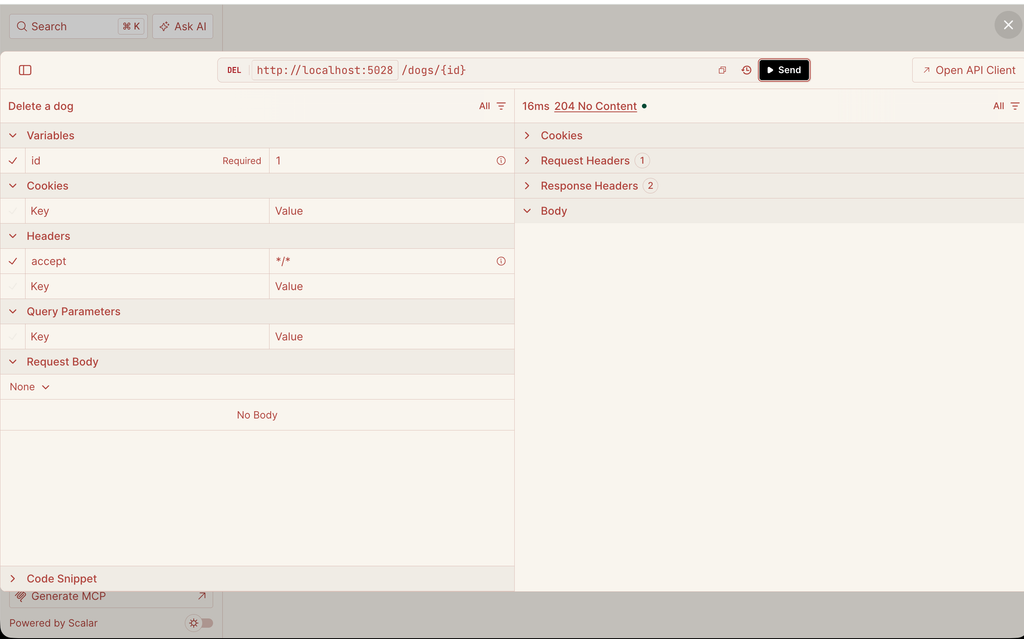
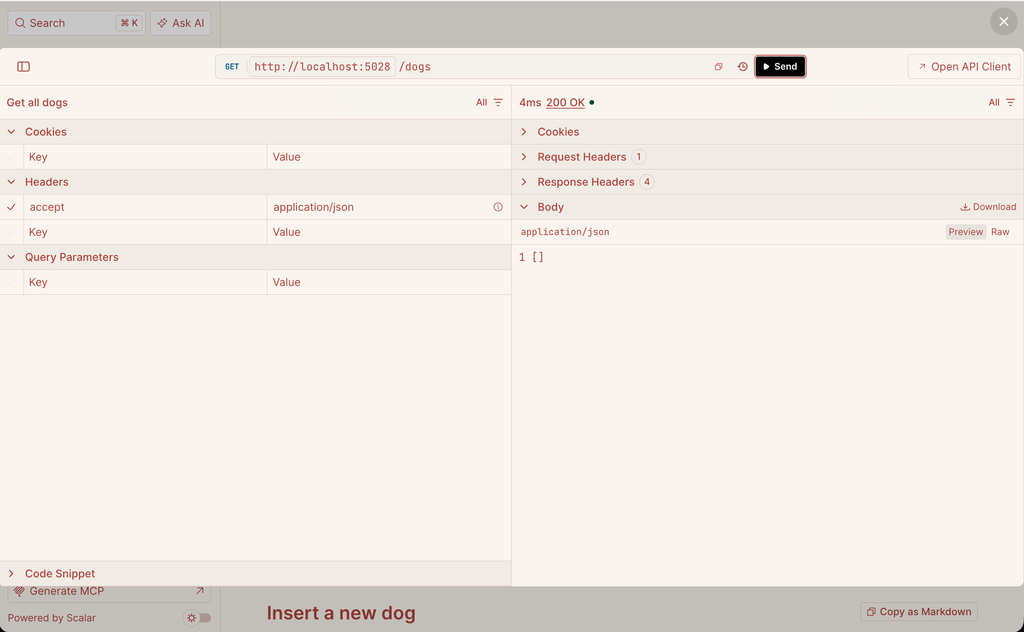
In this post, we will see what Scalar is, how it compares with Swagger UI and how to use it in our Minimal APIs.
But first of all, what is Scalar?
“Scalar is an open-source tool that takes an OpenAPI document and turns it into a modern, interactive API reference.
It is not a replacement for OpenAPI itself: the OpenAPI document (the JSON that describes our endpoints) is still generated by ASP.NET Core.
Scalar only reads that document and renders it in a clean UI, where we can read the documentation, see the models and test the endpoints directly in the browser.”
In a nutshell, if OpenAPI is the “contract” of our API, Scalar is the way we show that contract to the people who have to use it.
Why are we talking about it now?
Starting from .NET 9, Microsoft removed Swashbuckle from the Web API templates. The framework now generates the OpenAPI document natively with the package Microsoft.AspNetCore.OpenApi, but it doesn’t ship any UI to display it. So, we have to choose one ourselves, and Scalar is the one that Microsoft itself shows in its documentation.
Scalar vs Swagger
Before diving in, let’s clear up a common confusion: in .NET, “Swagger” usually refers either to Swashbuckle (which generates the OpenAPI spec) or Swagger UI (the testing page at /swagger).
Scalar only replaces the UI and works with any generator, including native Microsoft.AspNetCore.OpenApi, Swashbuckle or NSwag.
Here is how they compare:
- UI & Theming: Swagger UI is classic and functional; Scalar offers a sleek, modern three-column layout, dark mode, and built-in themes.
- Search: Basic tag filtering in Swagger UI vs. instant Ctrl+K global search across endpoints and models in Scalar.
- Code Samples: Swagger UI only provides cURL; Scalar generates snippets in C#, JS, Python, Go, and more.
- Endpoint Testing: Scalar includes a full Postman-like API client with pre-filled auth values, going beyond Swagger UI’s simple “Try it out” button.
- Maturity & License: Swagger UI is mature and Apache 2.0; Scalar is younger, growing fast, and MIT-licensed.
Obviously, Swagger UI is still a valid option: it’s stable, everybody knows it and it does its job.
But if we start a new project on .NET 9 or .NET 10, where we have to add a UI anyway, Scalar gives us a better developer experience with the same effort.
For this post, we will use the same project used in all Minimal APIs’ posts, with the entity Dog.
We start installing the Scalar package, running from the Package Manager Console the command:
Install-Package Scalar.AspNetCore
Then, we define the Dog entity and the DataContext:
public class Dog
{
    public int Id { get; set; }
    public string Name { get; set; } = string.Empty;
    public string Breed { get; set; } = string.Empty;
    public string Color { get; set; } = string.Empty;
}
using Microsoft.EntityFrameworkCore;

namespace TestScalar;

public class DataContext(DbContextOptions<DataContext> options) : DbContext(options)
{
    public DbSet<Dog> Dogs => Set<Dog>();
}
Finally, we modify Program.cs, where we add the OpenAPI document generation, Scalar and our endpoints:
using Microsoft.AspNetCore.Http.HttpResults;
using Microsoft.EntityFrameworkCore;
using Scalar.AspNetCore;
using TestScalar;

var builder = WebApplication.CreateBuilder(args);

// definition of DataContext
builder.Services.AddDbContext<DataContext>(opt => opt.UseInMemoryDatabase("DogsDB"));

// native OpenAPI document generation (.NET 9+)
builder.Services.AddOpenApi(options =>
{
    options.AddDocumentTransformer((document, context, cancellationToken) =>
    {
        document.Info.Title = "Dogs API";
        document.Info.Version = "v1";
        document.Info.Description = "Minimal APIs for managing Dogs - Zone of Development";
        return Task.CompletedTask;
    });
});

var app = builder.Build();

if (app.Environment.IsDevelopment())
{
    // exposes the OpenAPI document at /openapi/v1.json
    app.MapOpenApi();

    // exposes the Scalar UI at /scalar
    app.MapScalarApiReference(options =>
    {
        options
            .WithTitle("Dogs API - Zone of Development")
            .WithTheme(ScalarTheme.Mars)
            .WithDefaultHttpClient(ScalarTarget.CSharp, ScalarClient.HttpClient);
    });
}

var dogs = app.MapGroup("/dogs").WithTags("Dogs");

dogs.MapGet("/", async (DataContext db) =>
        TypedResults.Ok(await db.Dogs.ToListAsync()))
    .WithSummary("Get all dogs")
    .WithDescription("Returns the list of all dogs in the database.");

dogs.MapGet("/{id:int}", async Task<Results<Ok<Dog>, NotFound>> (int id, DataContext db) =>
        await db.Dogs.FindAsync(id) is Dog dog
            ? TypedResults.Ok(dog)
            : TypedResults.NotFound())
    .WithSummary("Get a dog by Id");

dogs.MapPost("/", async (Dog dog, DataContext db) =>
    {
        db.Dogs.Add(dog);
        await db.SaveChangesAsync();
        return TypedResults.Created($"/dogs/{dog.Id}", dog);
    })
    .WithSummary("Insert a new dog");

dogs.MapPut("/{id:int}", async Task<Results<NoContent, NotFound>> (int id, Dog input, DataContext db) =>
    {
        var dog = await db.Dogs.FindAsync(id);
        if (dog is null) return TypedResults.NotFound();

        dog.Name = input.Name;
        dog.Breed = input.Breed;
        dog.Color = input.Color;
        await db.SaveChangesAsync();
        return TypedResults.NoContent();
    })
    .WithSummary("Update a dog");

dogs.MapDelete("/{id:int}", async Task<Results<NoContent, NotFound>> (int id, DataContext db) =>
    {
        var dog = await db.Dogs.FindAsync(id);
        if (dog is null) return TypedResults.NotFound();

        db.Dogs.Remove(dog);
        await db.SaveChangesAsync();
        return TypedResults.NoContent();
    })
    .WithSummary("Delete a dog");

app.Run();
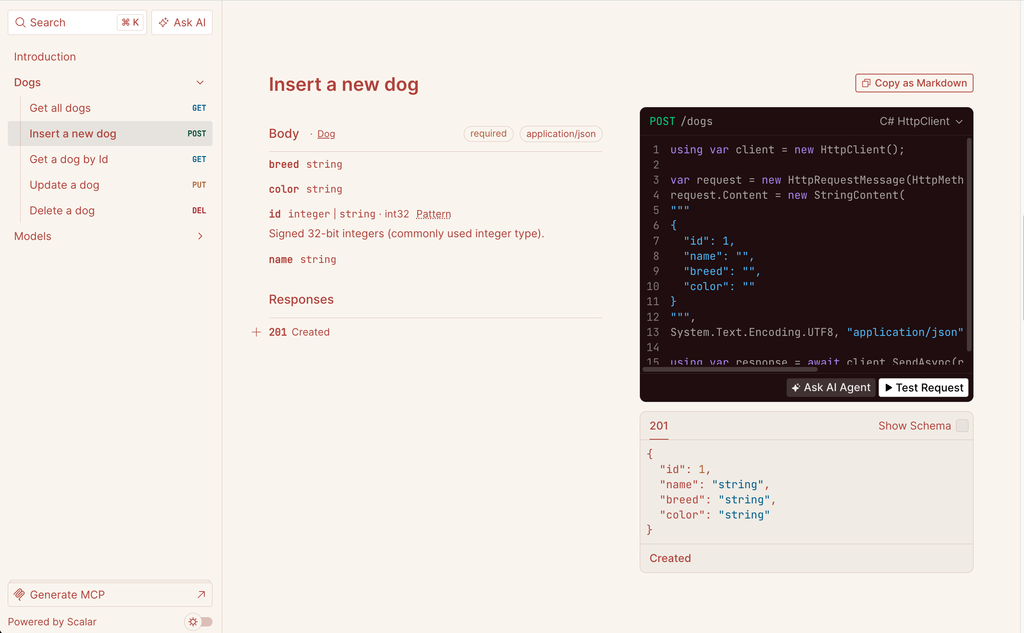
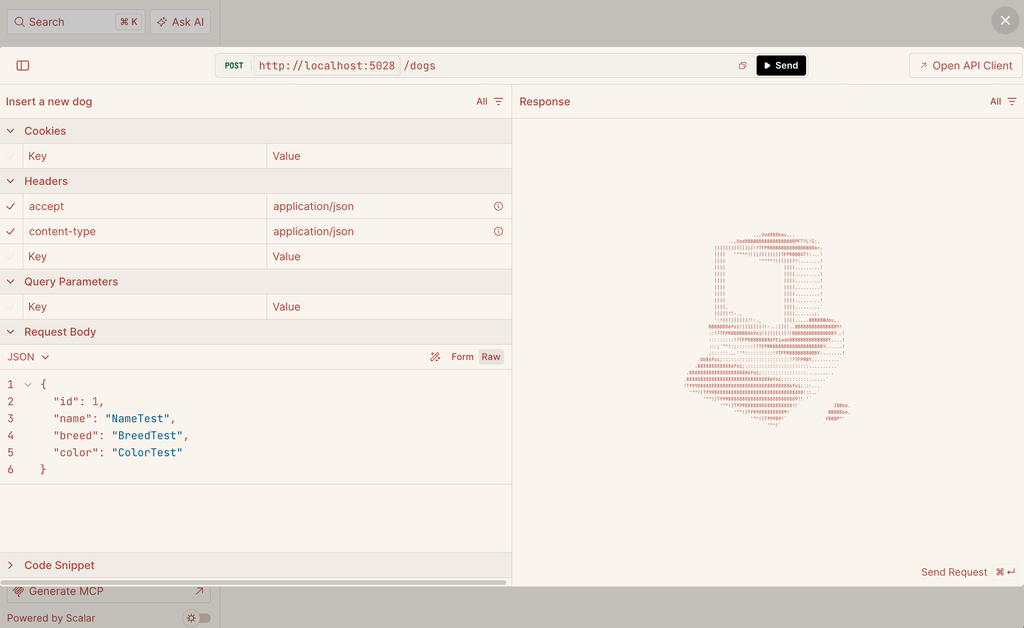
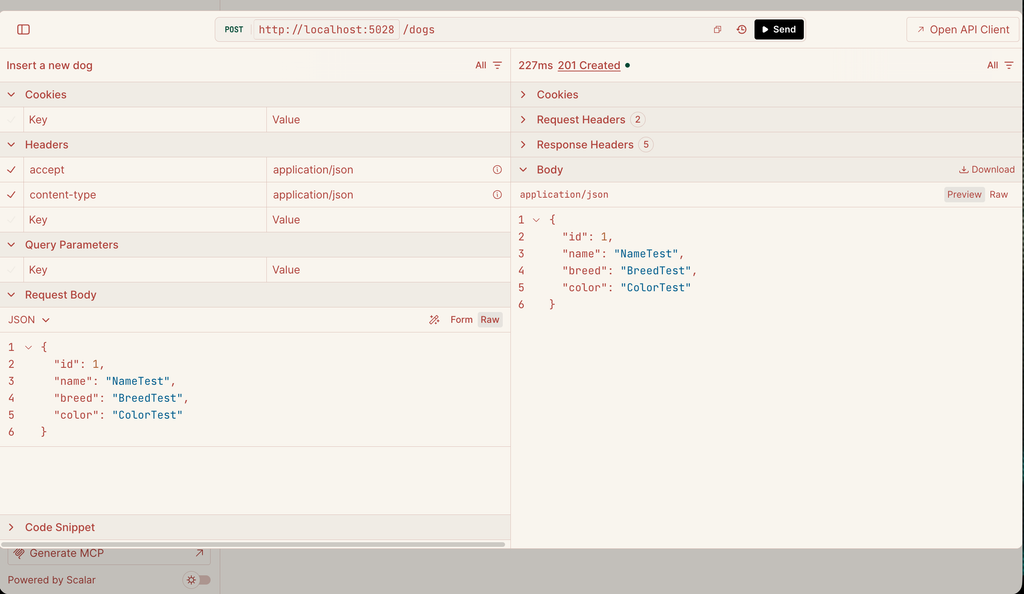
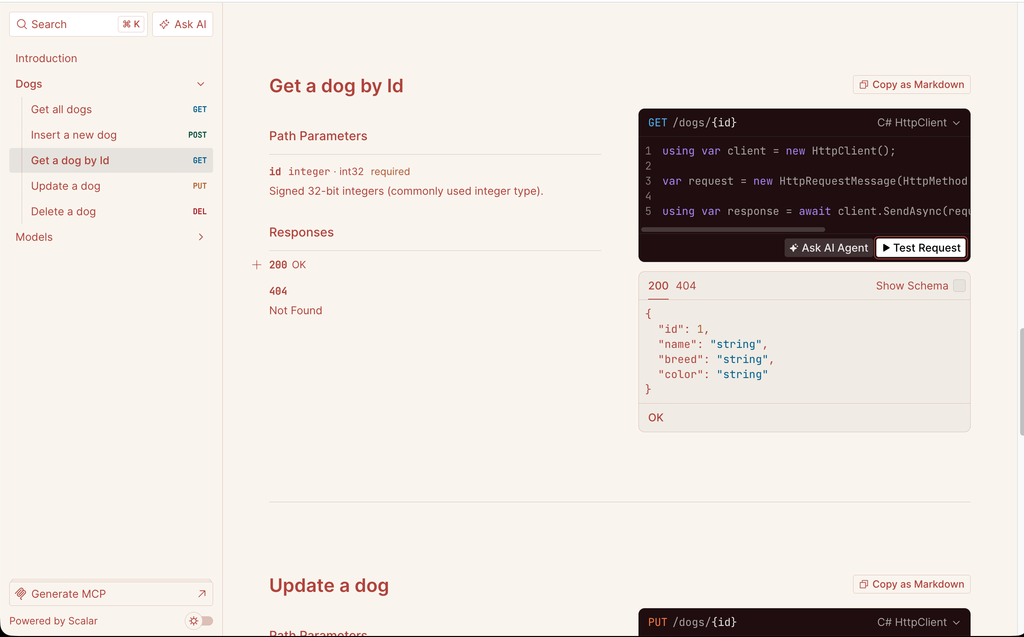
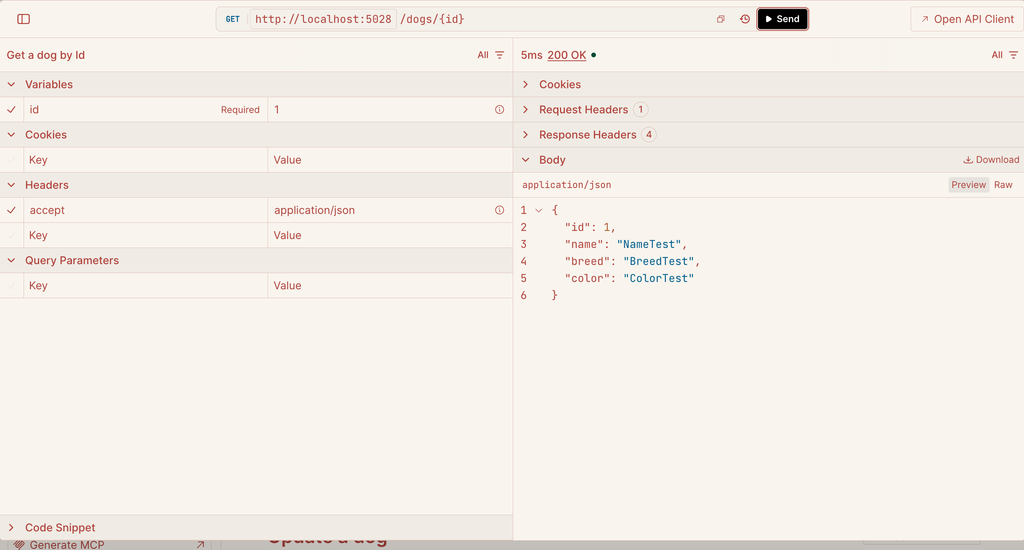
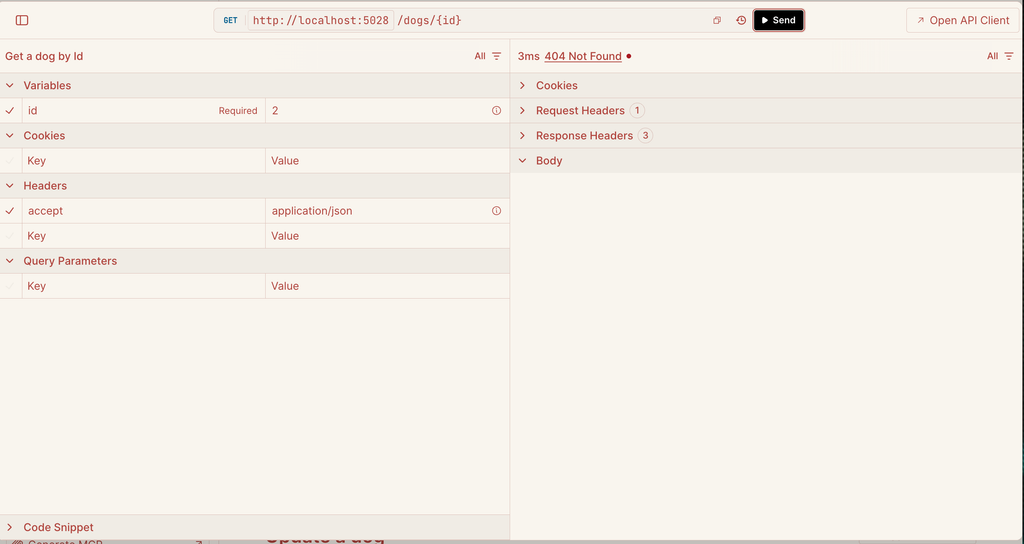
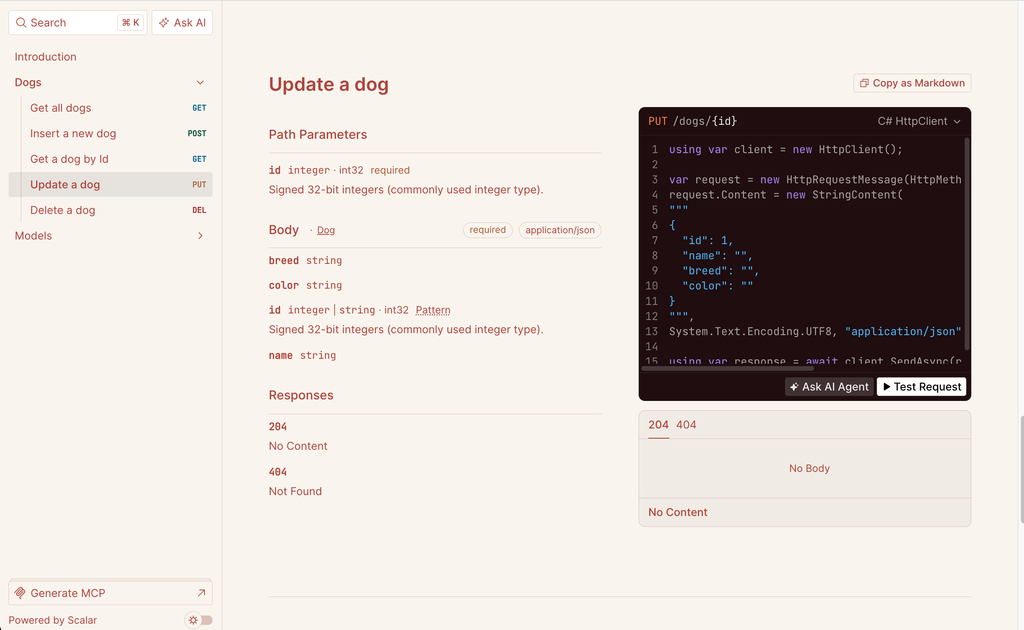
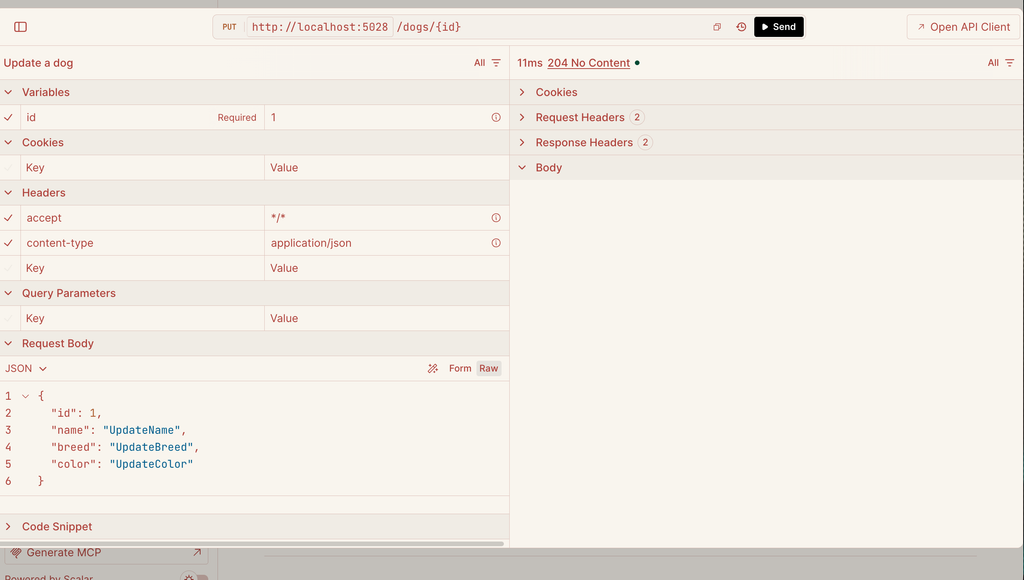
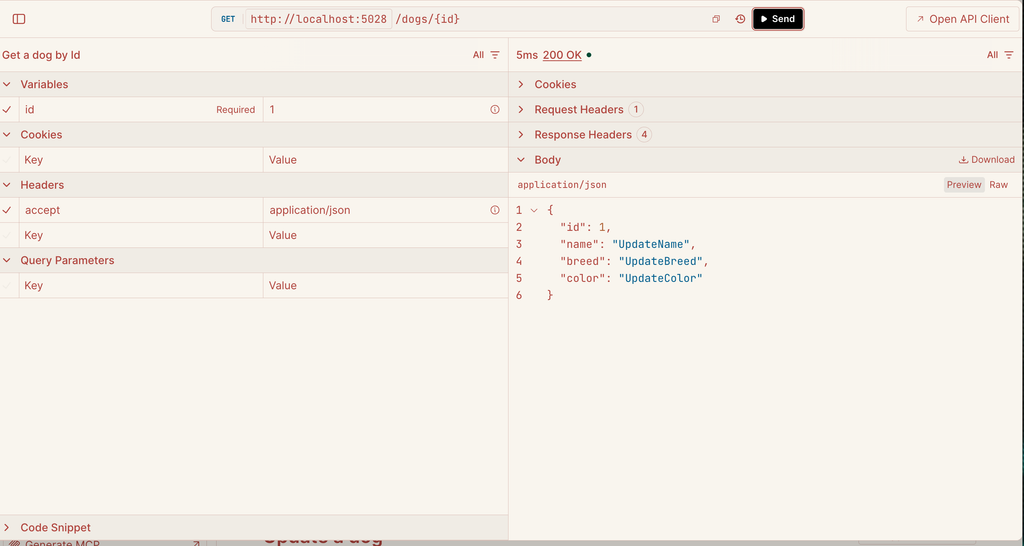
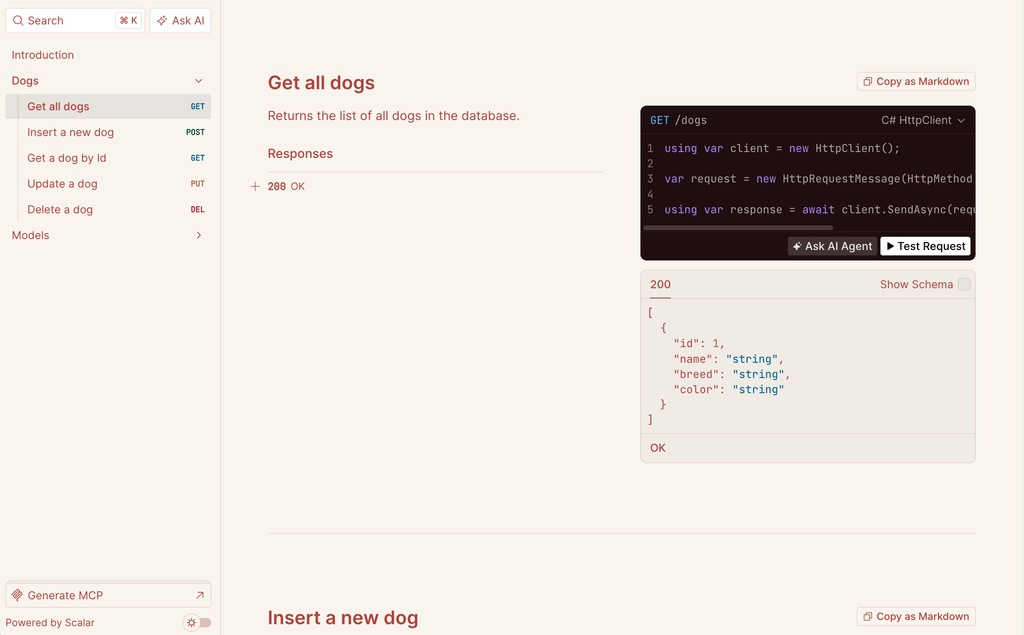
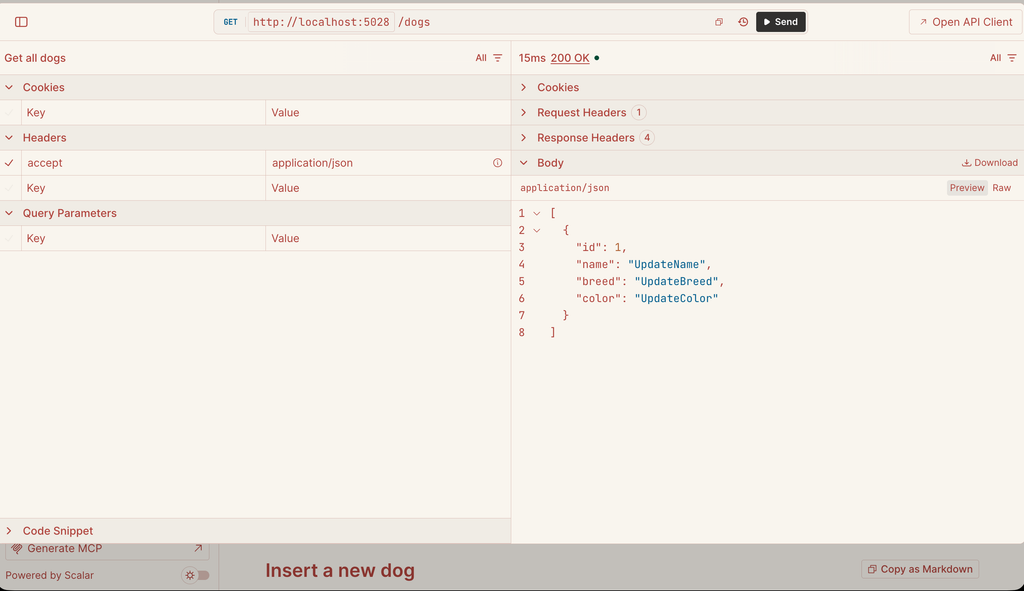
We have done and now, if we run the application (http://localhost:5028/scalar), this is the result:
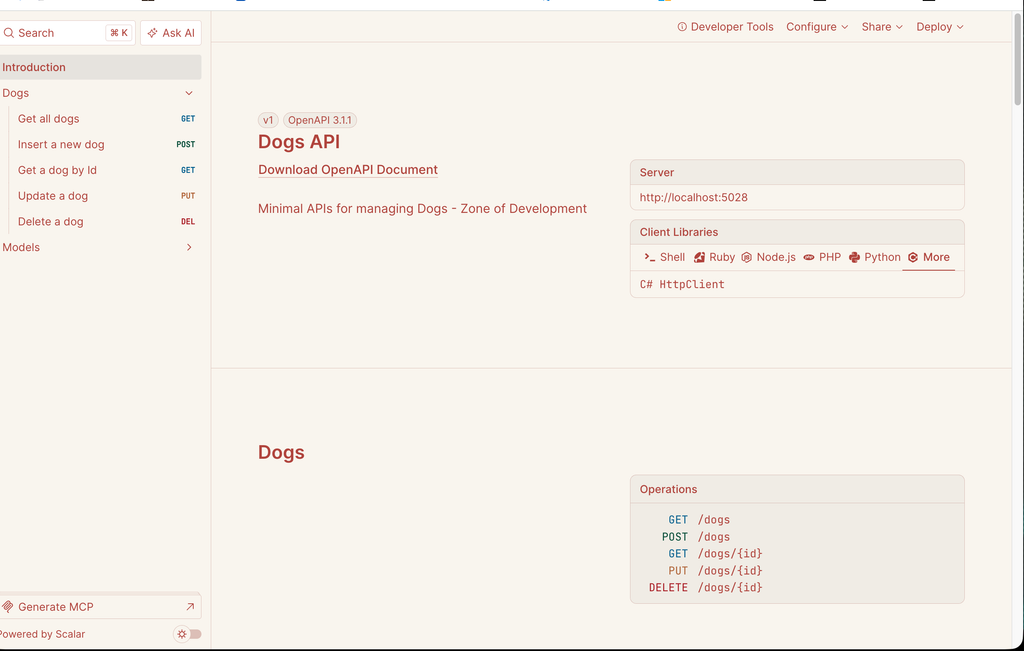
Add new dog:
Get a dog by Id:
Update a dog:
Get all dogs:
Delete a dog: