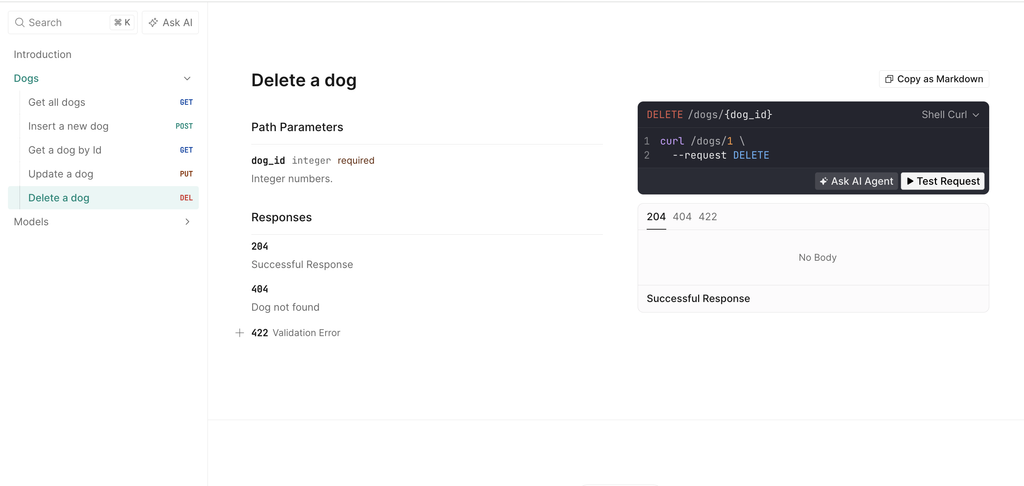
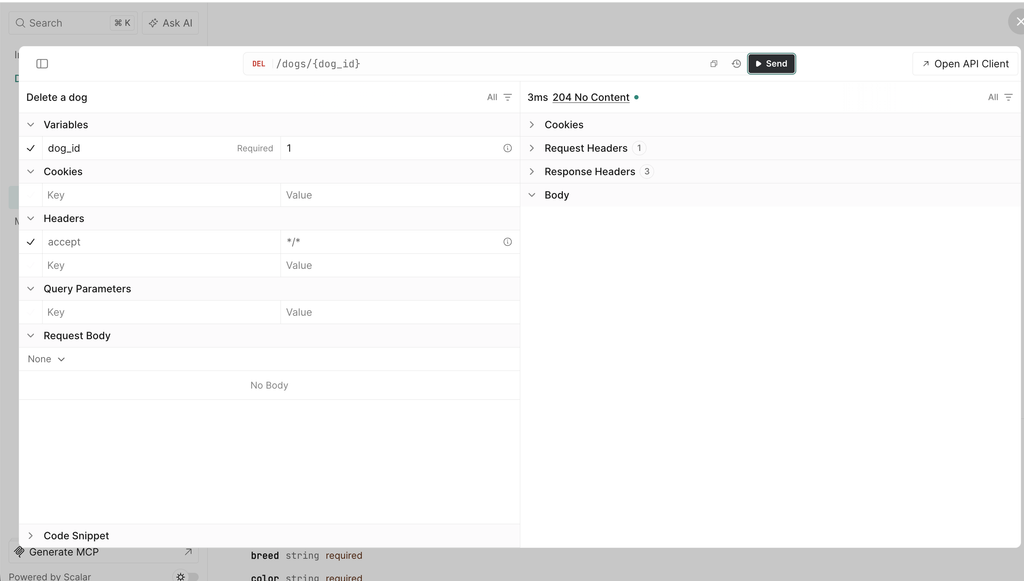
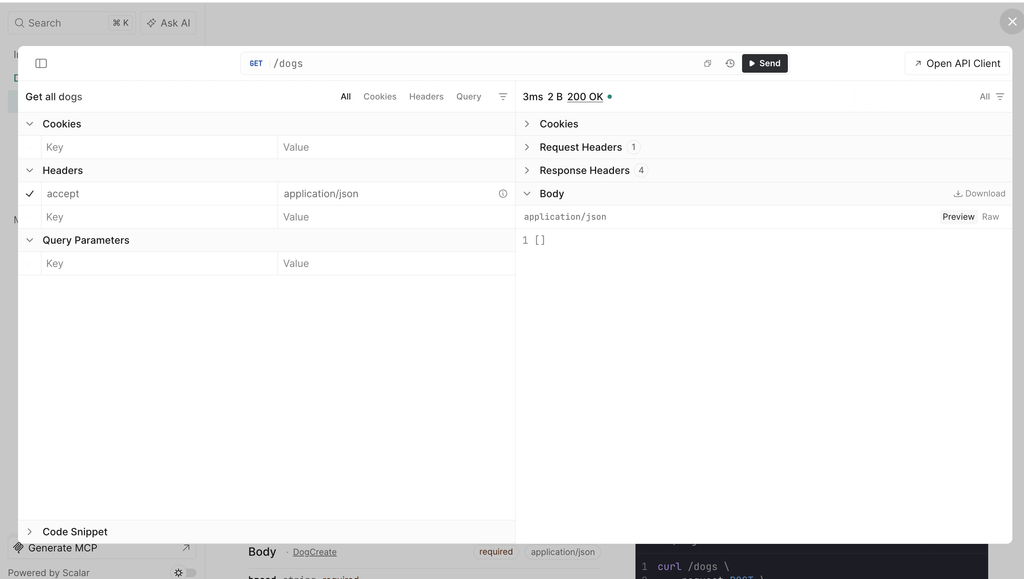
In this post, we will see how to use Scalar in a Python API built with FastAPI; in the post “Minimal APIs – Scalar”, we have seen what Scalar is and how to use it with .NET.
Now, we will do the same thing in Python, using the same example: a simple API for managing the CRUD operations of an entity called Dog.
We will use FastAPI because it generates the OpenAPI document automatically from our code, exactly like Microsoft.AspNetCore.OpenApi does in .NET, and Scalar has an official integration for it.
For this post, we will develop a simple API for managing the CRUD operations of an entity called Dog, storing the data in memory.
Let’s start by creating and activating a virtual environment:
python3 -m venv venv
source venv/bin/activate
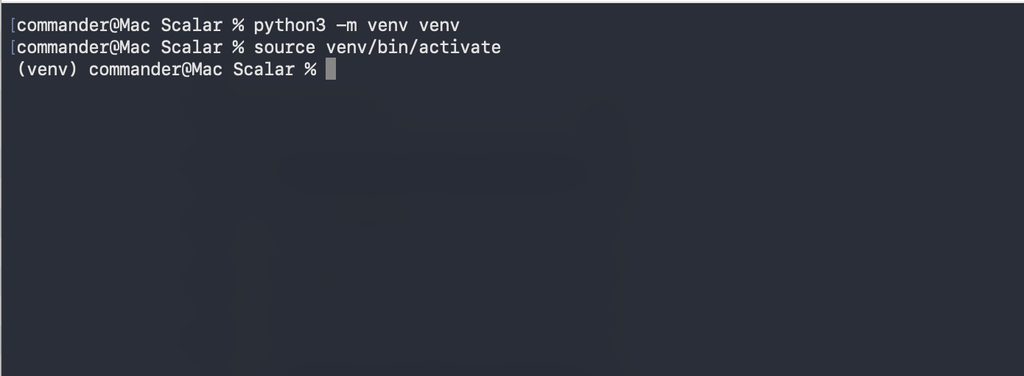
Then, we install the three packages we need:
pip install fastapi uvicorn scalar-fastapi
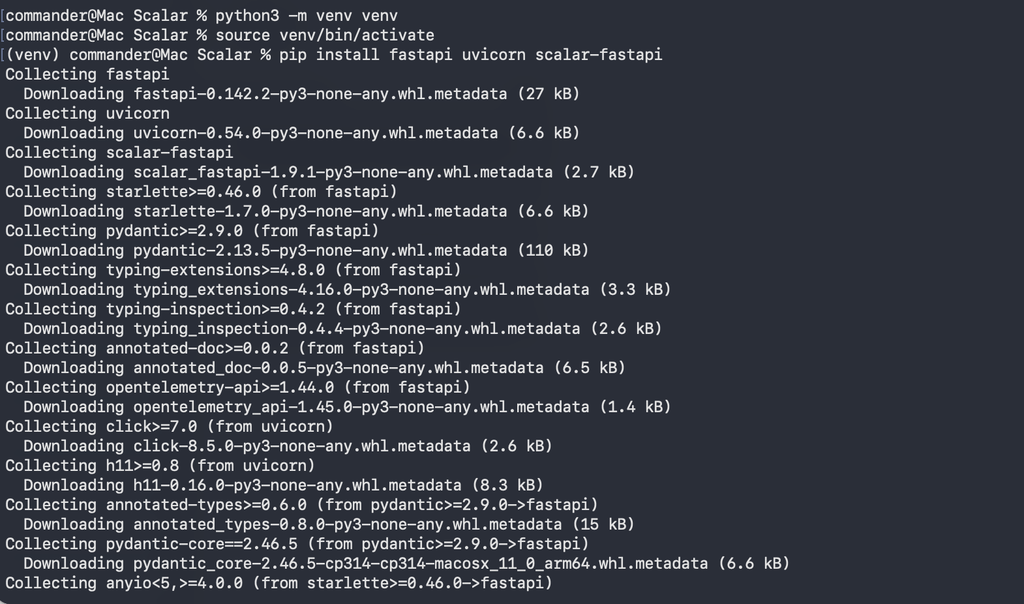
where:
- fastapi is the framework we use to build the API
- uvicorn is the ASGI server we use to run it
- scalar-fastapi is the official Scalar integration for FastAPI
Now, we create a file called main.py and we start defining the application:
from fastapi import FastAPI, HTTPException, status
from pydantic import BaseModel
from scalar_fastapi import get_scalar_api_reference

app = FastAPI(
    title="Dogs API",
    version="1.0.0",
    description="APIs for managing Dogs - Zone of Development",
)
The parameters title, version and description are not only metadata for us: FastAPI uses them to fill the info section of the OpenAPI document, and Scalar will show them at the top of the documentation page.
Then, we define the models using Pydantic:
# Model used for the input (Insert and Update)
class DogCreate(BaseModel):
    name: str
    breed: str
    color: str


# Model used for the output, it includes the Id
class Dog(DogCreate):
    id: int


# In-memory "database"
dogs_db: dict[int, Dog] = {}
next_id = 1
We use two different models because the Id is generated by the API: the client sends a DogCreate and receives a Dog.
FastAPI converts both classes into JSON schemas in the OpenAPI document, so Scalar can show them in the “Models” section and use them to build the example request bodies.
Next, we add the endpoint that renders Scalar:
# Scalar UI (not included in the OpenAPI document)
@app.get("/scalar", include_in_schema=False)
async def scalar_html():
    return get_scalar_api_reference(
        openapi_url=app.openapi_url,
        title="Dogs API - Zone of Development",
    )
This is the only code we need for Scalar.
The function get_scalar_api_reference returns an HTML page that loads Scalar and points it to our OpenAPI document (app.openapi_url is /openapi.json by default).
The parameter include_in_schema=False is important: without it, the /scalar endpoint itself would appear in the documentation as if it were part of our API.
Finally, we add the CRUD endpoints:
@app.get(
    "/dogs",
    response_model=list[Dog],
    tags=["Dogs"],
    summary="Get all dogs",
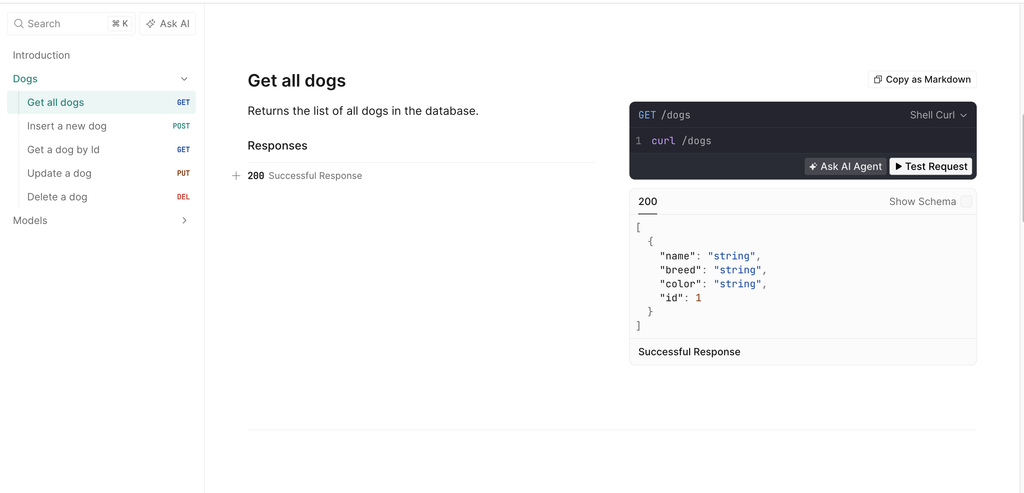
    description="Returns the list of all dogs in the database.",
)
async def get_all_dogs():
    return list(dogs_db.values())


@app.get(
    "/dogs/{dog_id}",
    response_model=Dog,
    tags=["Dogs"],
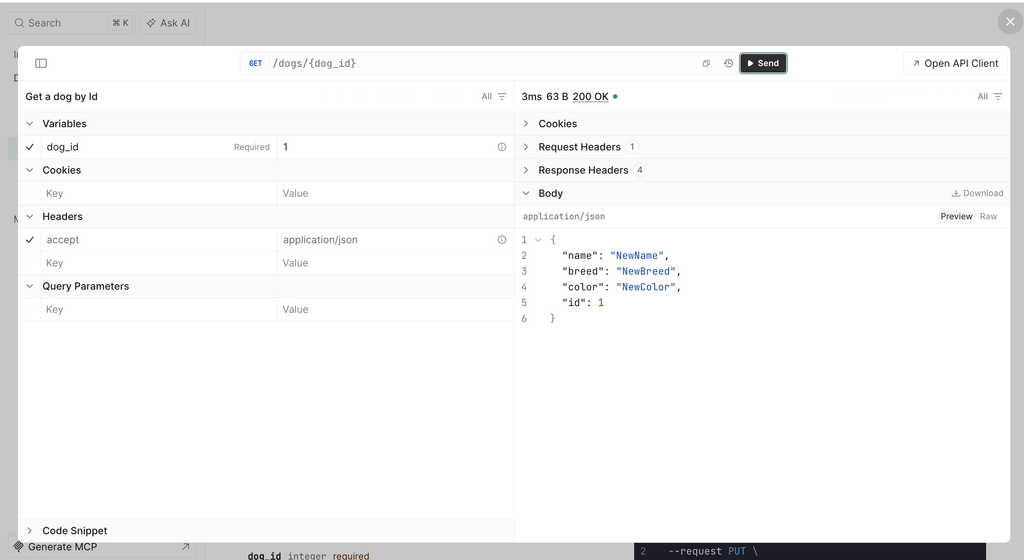
    summary="Get a dog by Id",
    responses={404: {"description": "Dog not found"}},
)
async def get_dog_by_id(dog_id: int):
    dog = dogs_db.get(dog_id)
    if dog is None:
        raise HTTPException(status_code=404, detail="Dog not found")
    return dog


@app.post(
    "/dogs",
    response_model=Dog,
    status_code=status.HTTP_201_CREATED,
    tags=["Dogs"],
    summary="Insert a new dog",
)
async def add_dog(input_dog: DogCreate):
    global next_id
    dog = Dog(id=next_id, **input_dog.model_dump())
    dogs_db[next_id] = dog
    next_id += 1
    return dog


@app.put(
    "/dogs/{dog_id}",
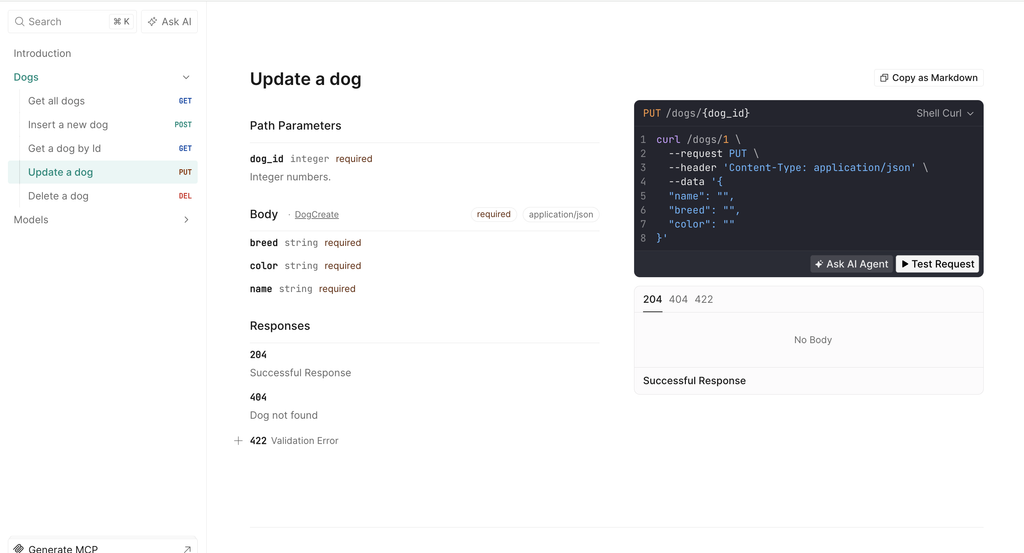
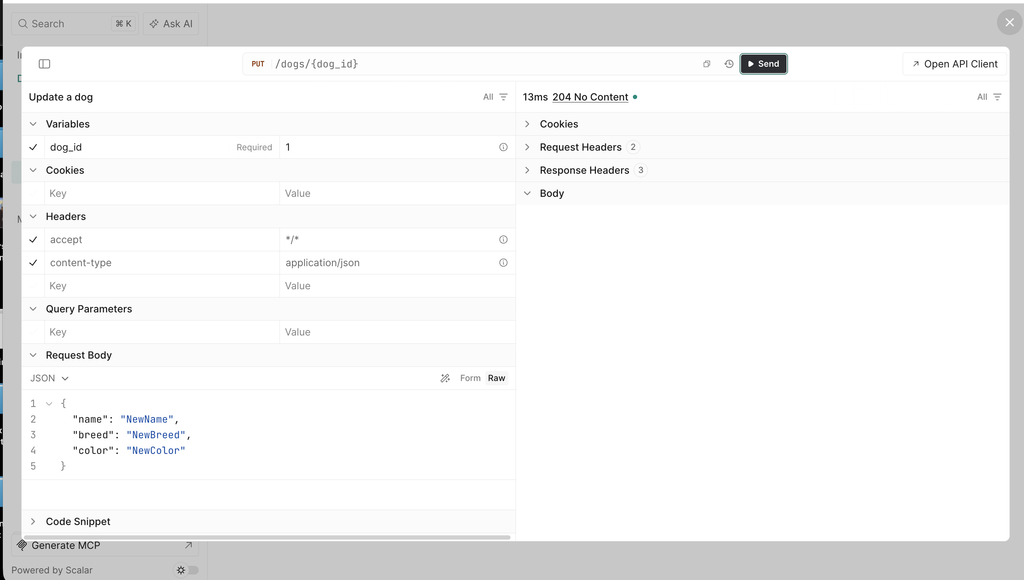
    status_code=status.HTTP_204_NO_CONTENT,
    tags=["Dogs"],
    summary="Update a dog",
    responses={404: {"description": "Dog not found"}},
)
async def update_dog(dog_id: int, input_dog: DogCreate):
    if dog_id not in dogs_db:
        raise HTTPException(status_code=404, detail="Dog not found")
    dogs_db[dog_id] = Dog(id=dog_id, **input_dog.model_dump())


@app.delete(
    "/dogs/{dog_id}",
    status_code=status.HTTP_204_NO_CONTENT,
    tags=["Dogs"],
    summary="Delete a dog",
    responses={404: {"description": "Dog not found"}},
)
async def delete_dog(dog_id: int):
    if dog_id not in dogs_db:
        raise HTTPException(status_code=404, detail="Dog not found")
    del dogs_db[dog_id]
Every parameter in the decorators ends up in the documentation:
- tags groups the endpoints: in Scalar, all our methods will be under the “Dogs” section in the sidebar.
- summary and description are the title and the text that describe each endpoint.
- response_model defines the schema of the response, so Scalar can show an example of what the endpoint returns.
- status_code defines the success code (201 for the insert, 204 for update and delete).
- responses documents the other possible responses, in our case the 404 when the Dog doesn’t exist. Without it, the client would have no way to know that this error can happen.
In a nutshell, the more information we give FastAPI, the better our documentation in Scalar will be.
We have done and now, we run the application with the command:
uvicorn main:app --reload
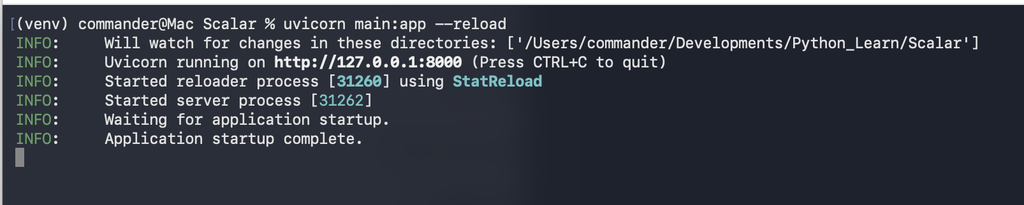
and we open the browser at http://127.0.0.1:8000/scalar:
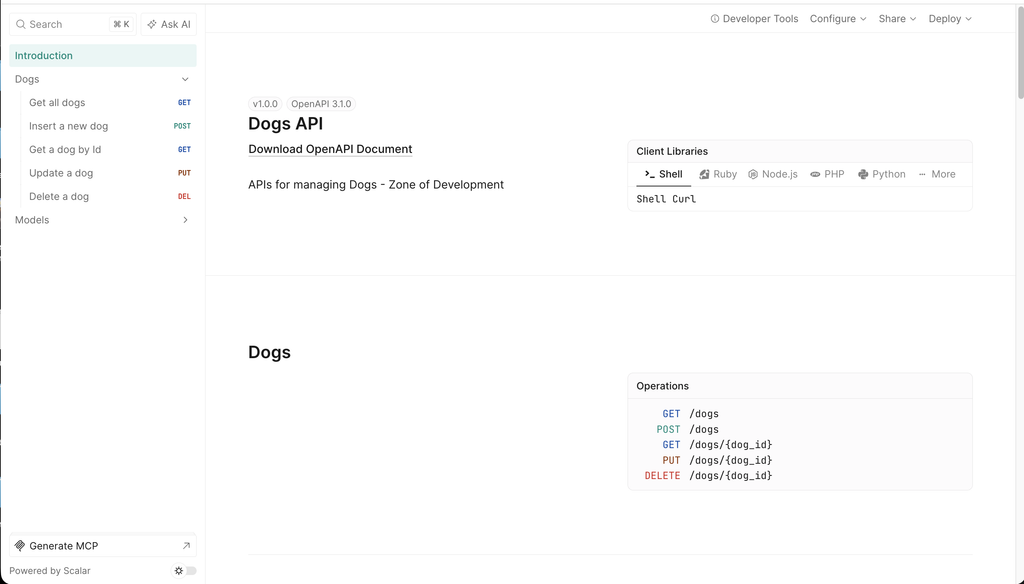
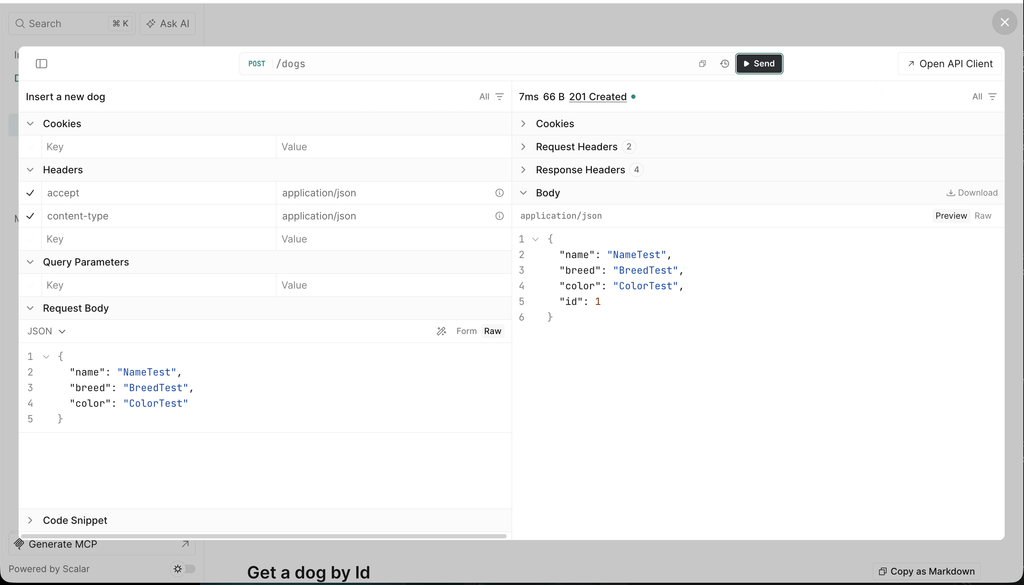
Add new dog:
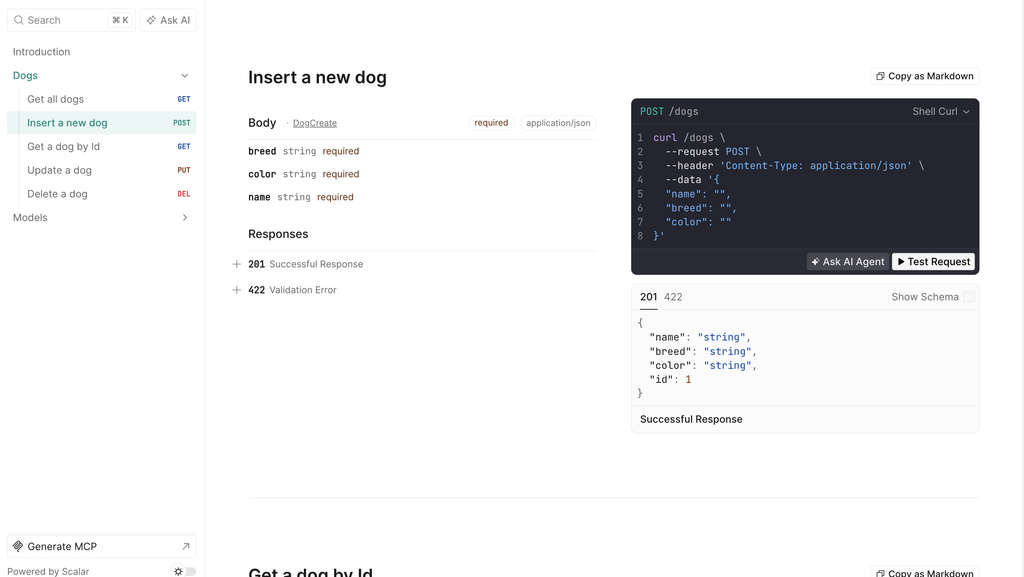
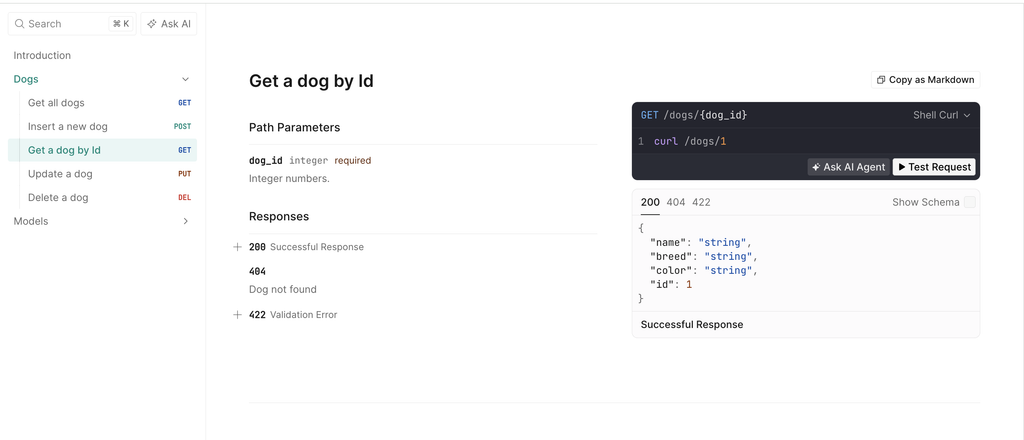
Get a dog by Id:
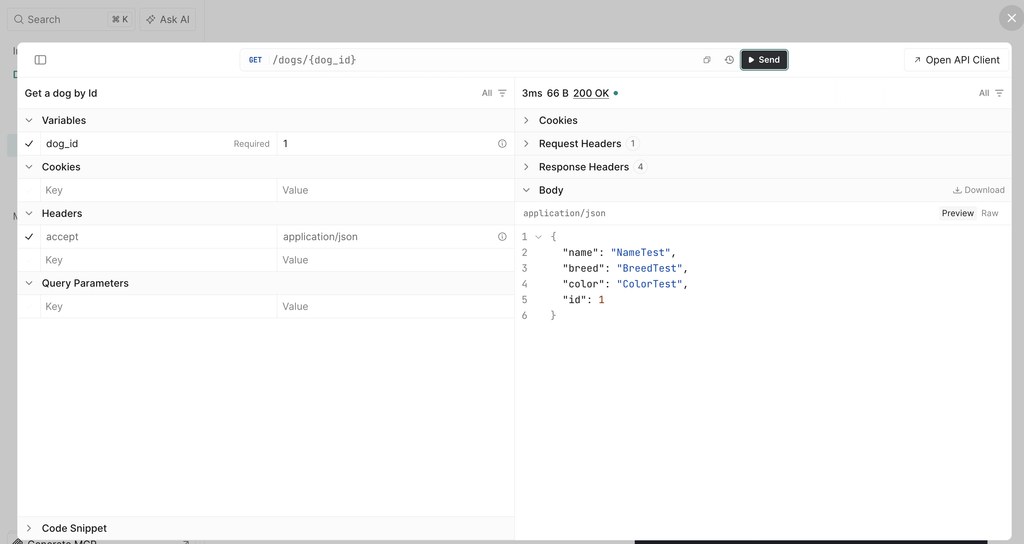
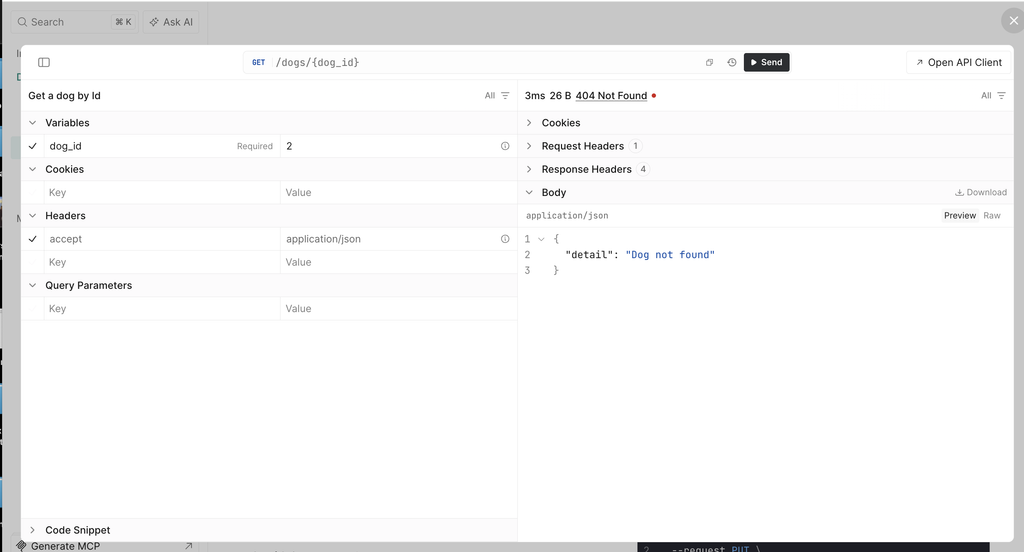
Update a dog:
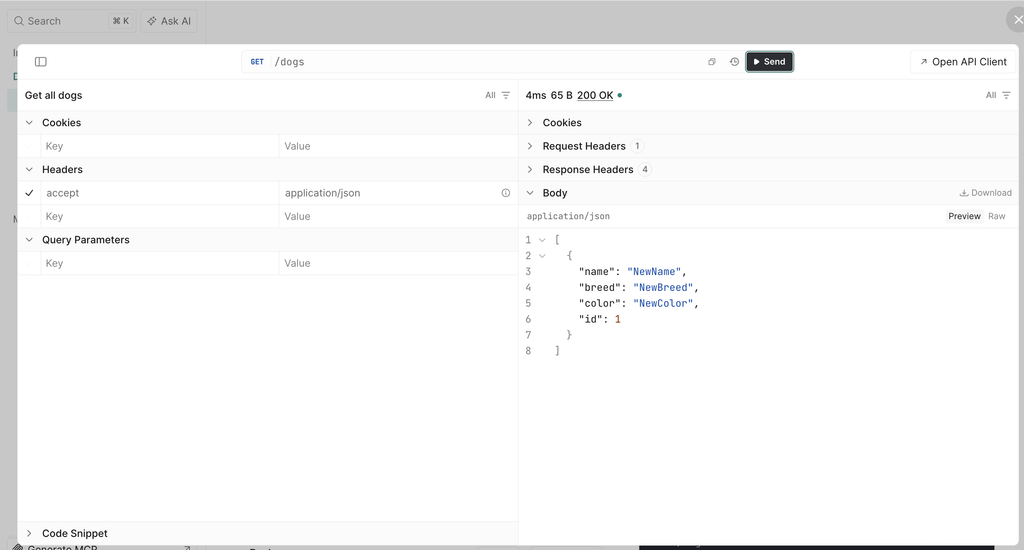
Get all dogs:
Delete a dog: