In this post, we will see what the Repository Pattern is and how we can use it in a SwiftUI application, together with the MVVM pattern, creating a simple ToDoList application.
But first of all, what is the Repository Pattern?
“The Repository Pattern is a design pattern that creates an abstraction layer between the business logic of an application and the data source. The repository acts like an in-memory collection of objects: the rest of the application asks the repository for data, or asks it to save data, without knowing where and how that data is stored (SwiftData, Core Data, a REST API, a JSON file, and so on)“.
In a nutshell, the rest of the app talks only with the repository, and only the repository talks with the data source.
All the CRUD operations live in one place, so we don’t have to spread context.insert, context.delete and context.save calls across every View of our application.
This brings some important benefits:
- Cleaner code: the ViewModels contain only presentation logic and become smaller and easier to read.
- Single point of management: if we need to change how we save data, or fix a bug in a save operation, we have to do it in one place only.
- Decoupling: the Views and the ViewModels don’t depend on SwiftData. If tomorrow we want to replace SwiftData with a REST API, we only need a new implementation of the repository.
- Testability: defining the repository with a protocol, we can create a mock implementation and test our ViewModels without a real database.
Before starting with the code, we need a brief introduction of MVVM (Model-View-ViewModel), the de facto standard pattern for developing apps with SwiftUI.
MVVM splits the application into three layers:
- Model: the data of our application (in our case, a ToDo item).
- View: the user interface. In SwiftUI, a View is a description of the UI based on its state and it should contain no business logic.
- ViewModel: the bridge between the View and the Model. It exposes the data that the View has to show and the methods that the View calls when the user interacts with it.
SwiftUI is reactive: when a property of the ViewModel changes, the View is updated automatically. Since iOS 17, thanks to the @Observable macro, this is even simpler than before, because we no longer need ObservableObject and @Published.
Where does the Repository fit in? The ViewModel doesn’t access the data directly, but it uses the Repository. So the flow becomes:
View → ViewModel → Repository → SwiftData
Now that we have seen the theory, we will create a simple ToDoList application where we will run all the CRUD operations:
- Create: add a new task
- Read: show the list of tasks
- Update: mark a task as completed and rename it
- Delete: remove a task
We will use SwiftData for persistence and iOS 17 as minimum target.
We start to define the Model:
[TODOITEM.SWIFT]
import Foundation
import SwiftData

@Model
final class TodoItem {
    var title: String
    var isCompleted: Bool
    var createdAt: Date

    init(title: String, isCompleted: Bool = false, createdAt: Date = .now) {
        self.title = title
        self.isCompleted = isCompleted
        self.createdAt = createdAt
    }
}
Then, we define the protocol of our repository. It is the “contract” that every implementation has to respect:
[TODOREPOSITORYPROTOCOL.SWIFT]
import Foundation

@MainActor
protocol TodoRepositoryProtocol {
    func fetchAll() -> [TodoItem]
    func add(_ item: TodoItem)
    func update(_ item: TodoItem)
    func delete(_ item: TodoItem)
}
Now, we create the SwiftData implementation:
[TODOREPOSITORY.SWIFT]
import Foundation
import SwiftData

@MainActor
final class TodoRepository: TodoRepositoryProtocol {
    static let shared = TodoRepository()

    let modelContainer: ModelContainer

    private var context: ModelContext {
        modelContainer.mainContext
    }

    init(isStoredInMemoryOnly: Bool = false) {
        let schema = Schema([TodoItem.self])
        let configuration = ModelConfiguration(schema: schema, isStoredInMemoryOnly: isStoredInMemoryOnly)

        do {
            modelContainer = try ModelContainer(for: schema, configurations: [configuration])
        } catch {
            fatalError("Failed to create model container: \(error)")
        }
    }

    // READ
    func fetchAll() -> [TodoItem] {
        let descriptor = FetchDescriptor<TodoItem>(
            sortBy: [SortDescriptor(\.createdAt, order: .reverse)]
        )

        do {
            return try context.fetch(descriptor)
        } catch {
            print("Failed to fetch TodoItem: \(error)")
            return []
        }
    }

    // CREATE
    func add(_ item: TodoItem) {
        context.insert(item)
        save(errorMessage: "Failed to insert TodoItem")
    }

    // UPDATE
    func update(_ item: TodoItem) {
        // SwiftData tracks the changes of the model: we only need to save
        save(errorMessage: "Failed to update TodoItem")
    }

    // DELETE
    func delete(_ item: TodoItem) {
        context.delete(item)
        save(errorMessage: "Failed to delete TodoItem")
    }

    // Helper to avoid repeating the do-catch block
    private func save(errorMessage: String) {
        do {
            try context.save()
        } catch {
            fatalError("\(errorMessage): \(error)")
        }
    }
}
Then, we create a Mock implementation, that we will use for the Preview (and that we could use for the Unit Tests):
[MOCKTODOREPOSITORY.SWIFT]
import Foundation

@MainActor
final class MockTodoRepository: TodoRepositoryProtocol {
    private var items: [TodoItem] = [
        TodoItem(title: "Write the new post"),
        TodoItem(title: "Buy coffee", isCompleted: true),
        TodoItem(title: "Go to the gym")
    ]

    func fetchAll() -> [TodoItem] {
        items.sorted { $0.createdAt > $1.createdAt }
    }

    func add(_ item: TodoItem) {
        items.append(item)
    }

    func update(_ item: TodoItem) {
        // Nothing to do: the items are kept in memory
    }

    func delete(_ item: TodoItem) {
        items.removeAll { $0 === item }
    }
}
Now, we define the ViewModel.
It is important to highlight that it depends only on the protocol and it doesn’t know anything about SwiftData:
[TODOLISTVIEWMODEL.SWIFT]
import Foundation

@MainActor
@Observable
final class TodoListViewModel {
    // It means the property can be read from outside, but modified only inside the class.
    private(set) var items: [TodoItem] = []
    var newTitle: String = ""

    private let repository: TodoRepositoryProtocol

    init(repository: TodoRepositoryProtocol) {
        self.repository = repository
        loadItems()
    }

    func loadItems() {
        items = repository.fetchAll()
    }

    func addItem() {
        let title = newTitle.trimmingCharacters(in: .whitespacesAndNewlines)
        guard !title.isEmpty else { return }

        repository.add(TodoItem(title: title))
        newTitle = ""
        loadItems()
    }

    func toggleCompleted(_ item: TodoItem) {
        item.isCompleted.toggle()
        repository.update(item)
        loadItems()
    }

    func rename(_ item: TodoItem, to title: String) {
        let newValue = title.trimmingCharacters(in: .whitespacesAndNewlines)
        guard !newValue.isEmpty else { return }

        item.title = newValue
        repository.update(item)
        loadItems()
    }

    func delete(_ item: TodoItem) {
        repository.delete(item)
        loadItems()
    }
}
Finally, we create the Views.
We start with the single row:View
[TODOROWVIES.SWIFT]
import SwiftUI

struct TodoRowView: View {
    let item: TodoItem
    let onToggle: () -> Void

    var body: some View {
        HStack {
            Button(action: onToggle) {
                Image(systemName: item.isCompleted ? "checkmark.circle.fill" : "circle")
                    .foregroundStyle(item.isCompleted ? .green : .secondary)
                    .font(.title3)
            }
            .buttonStyle(.plain)

            Text(item.title)
                .strikethrough(item.isCompleted)
                .foregroundStyle(item.isCompleted ? .secondary : .primary)
        }
    }
}
and then the main View:
[TODOLISTVIEW]
import SwiftUI

struct TodoListView: View {
    @State private var viewModel: TodoListViewModel
    @State private var itemToEdit: TodoItem?
    @State private var editedTitle = ""

    init(viewModel: TodoListViewModel) {
        _viewModel = State(initialValue: viewModel)
    }

    var body: some View {
        NavigationStack {
            List {
                // CREATE
                Section {
                    HStack {
                        TextField("New task", text: $viewModel.newTitle)
                            .onSubmit { viewModel.addItem() }

                        Button {
                            viewModel.addItem()
                        } label: {
                            Image(systemName: "plus.circle.fill")
                                .font(.title2)
                        }
                        .disabled(viewModel.newTitle.trimmingCharacters(in: .whitespaces).isEmpty)
                    }
                }

                // READ
                Section("Tasks") {
                    ForEach(viewModel.items) { item in
                        TodoRowView(item: item) {
                            // UPDATE
                            viewModel.toggleCompleted(item)
                        }
                        .swipeActions(edge: .leading) {
                            Button("Edit") {
                                editedTitle = item.title
                                itemToEdit = item
                            }
                            .tint(.blue)
                        }
                        .swipeActions(edge: .trailing) {
                            // DELETE
                            Button("Delete", role: .destructive) {
                                viewModel.delete(item)
                            }
                        }
                    }
                }
                .navigationTitle("ToDo List")
                .alert("Edit task", isPresented: Binding(
                    get: { itemToEdit != nil },
                    set: { if !$0 { itemToEdit = nil } }
                )) {
                    TextField("Title", text: $editedTitle)
                    Button("Save") {
                        if let item = itemToEdit {
                            viewModel.rename(item, to: editedTitle)
                        }
                    }
                    Button("Cancel", role: .cancel) { }
                }
            }
        }
    }
}

#Preview {
    TodoListView(viewModel: TodoListViewModel(repository: MockTodoRepository()))
}
The last step is to inject the real repository in the entry point of the application:
[MYAPP.SWIFT]
import SwiftUI

@main struct MyApp: App {
    var body: some Scene {
        WindowGroup {
            TodoListView(viewModel: TodoListViewModel(repository: TodoRepository.shared))
        }
    }
}
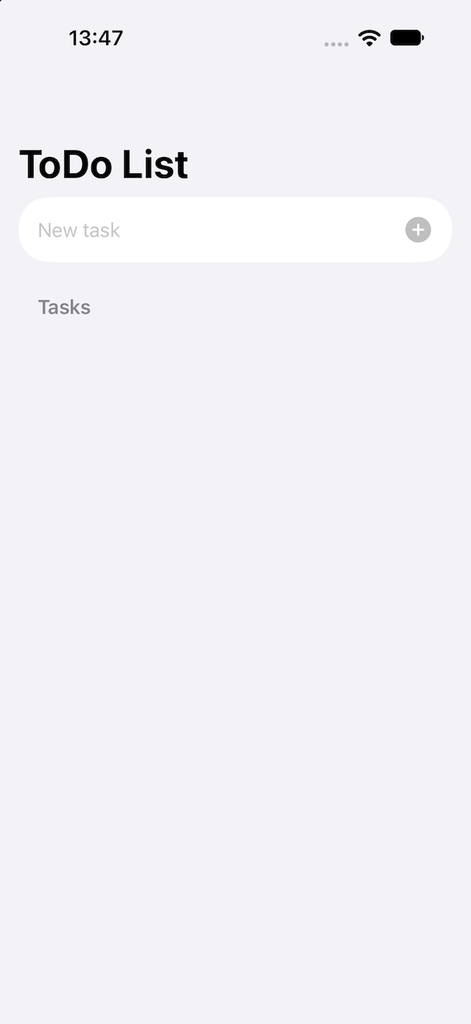
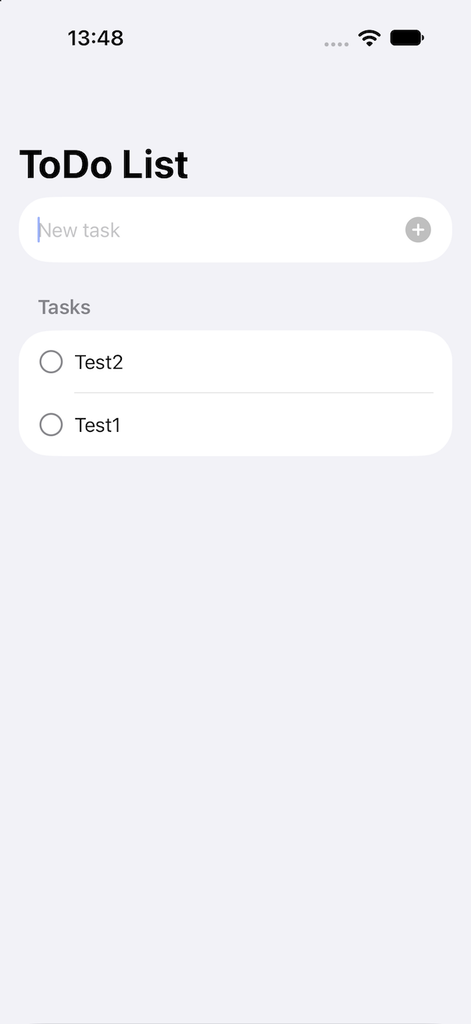
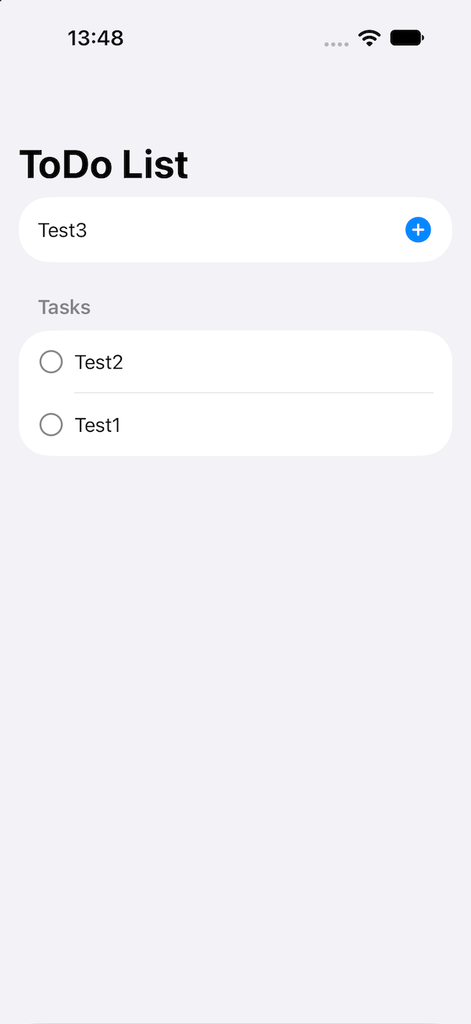
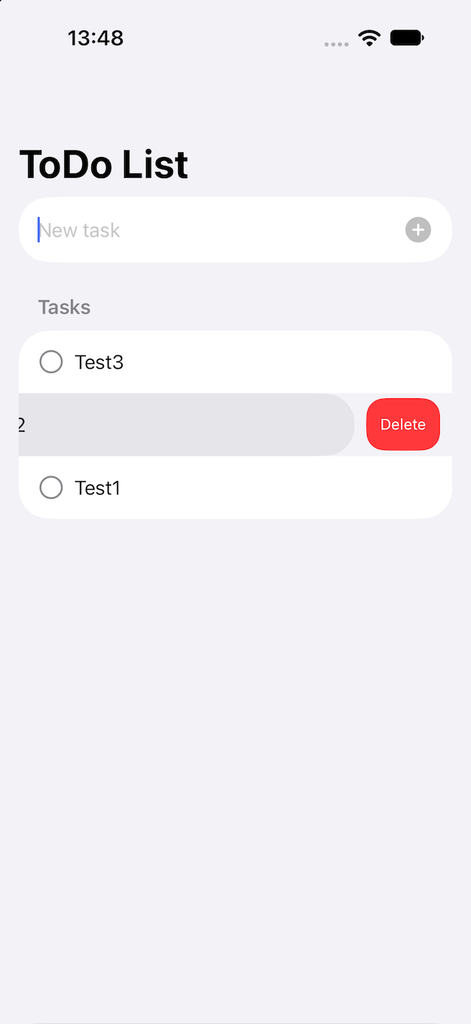
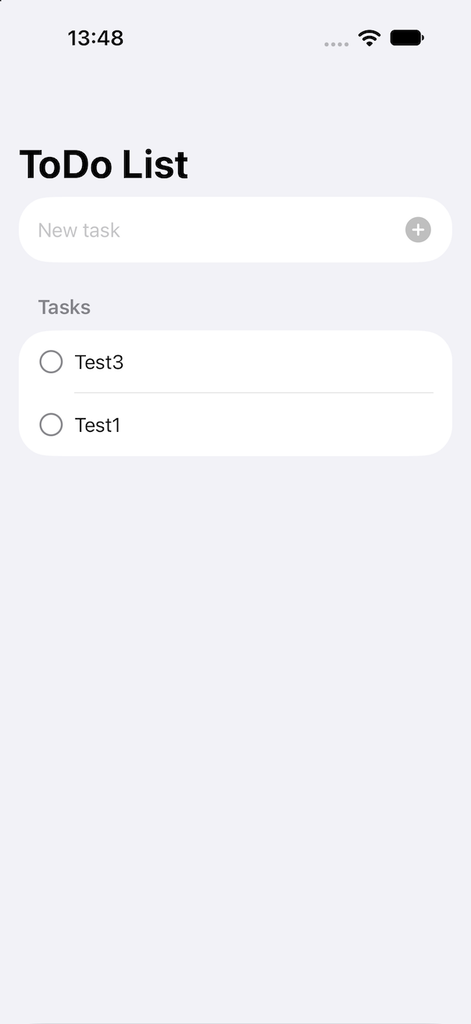
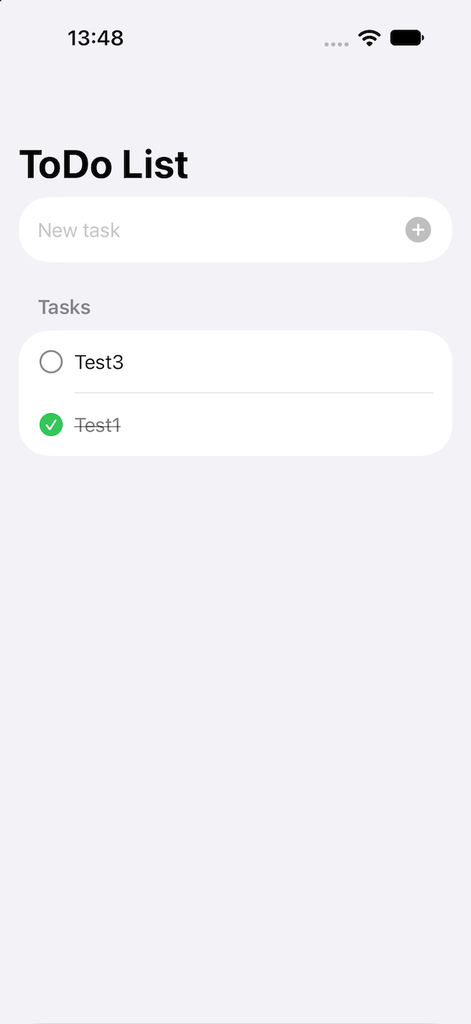
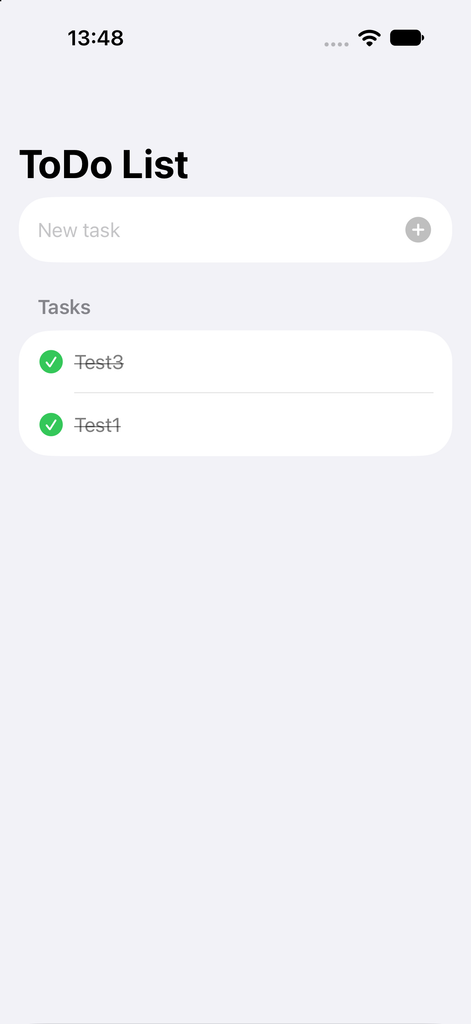
We have done and now, if we run the application, this will be the result: